Know which AI your company uses, for what, and who owns it.
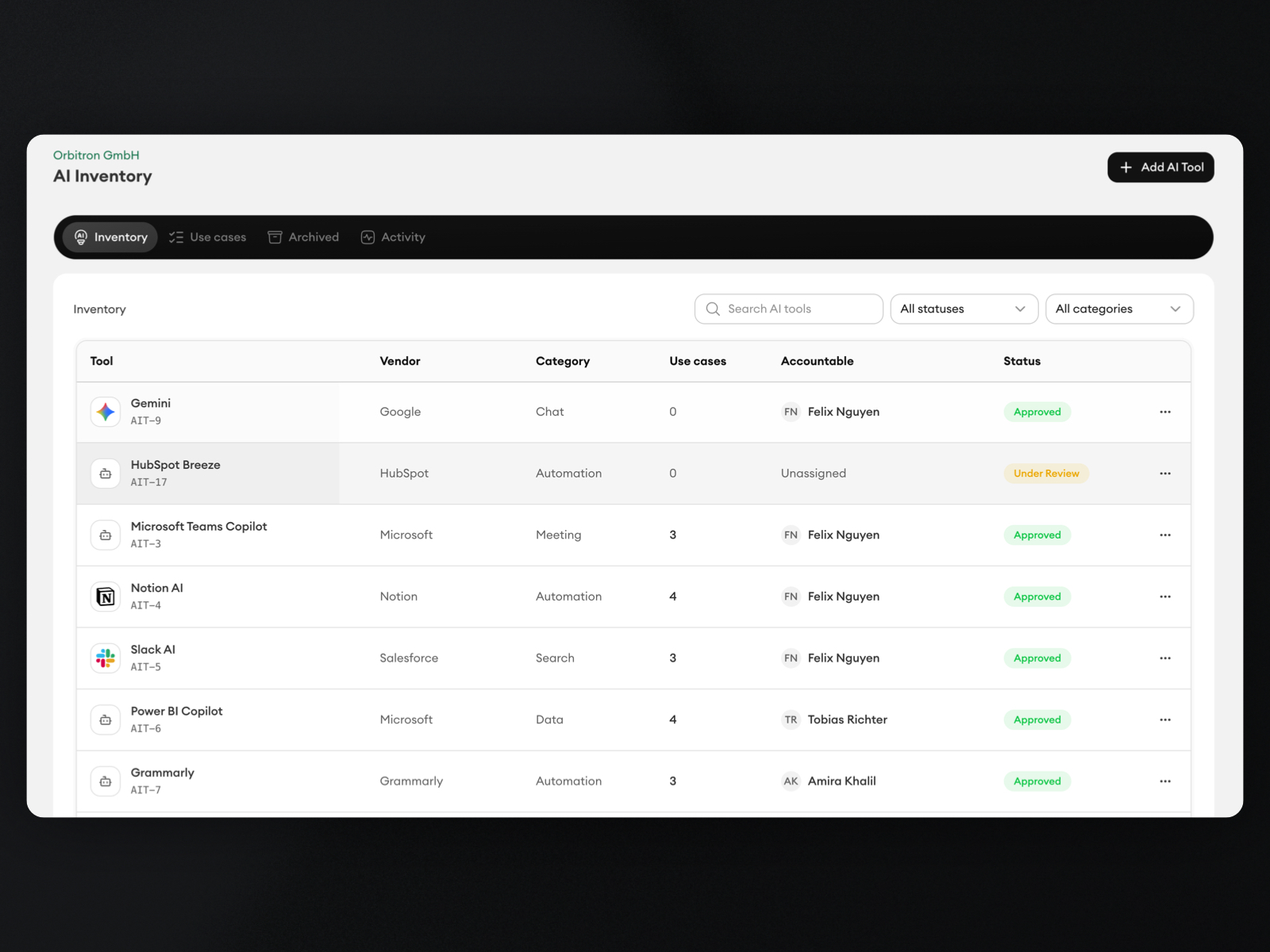
AI Radar surfaces the AI tools employees already open. AI Inventory records each decision, the use cases behind it, their risk, and a RACI owner, then publishes the approved list to employees as Allowed AI.
Every AI tool in use, discovered or added by hand
Approved, restricted, or blocked status per tool
Use cases with a risk tier and a RACI owner
You cannot govern AI you have not found.
Shadow AI stays invisible
Employees adopt chatbots, copilots, and plugins long before anyone adds them to a list.
No owner per tool
When a tool changes its terms or leaks data, nobody knows who approved it or who is accountable.
Risk lives in someone's head
Which use cases are low-risk drafting and which touch customer or personal data is rarely written down.
Discover, decide, and publish the list.
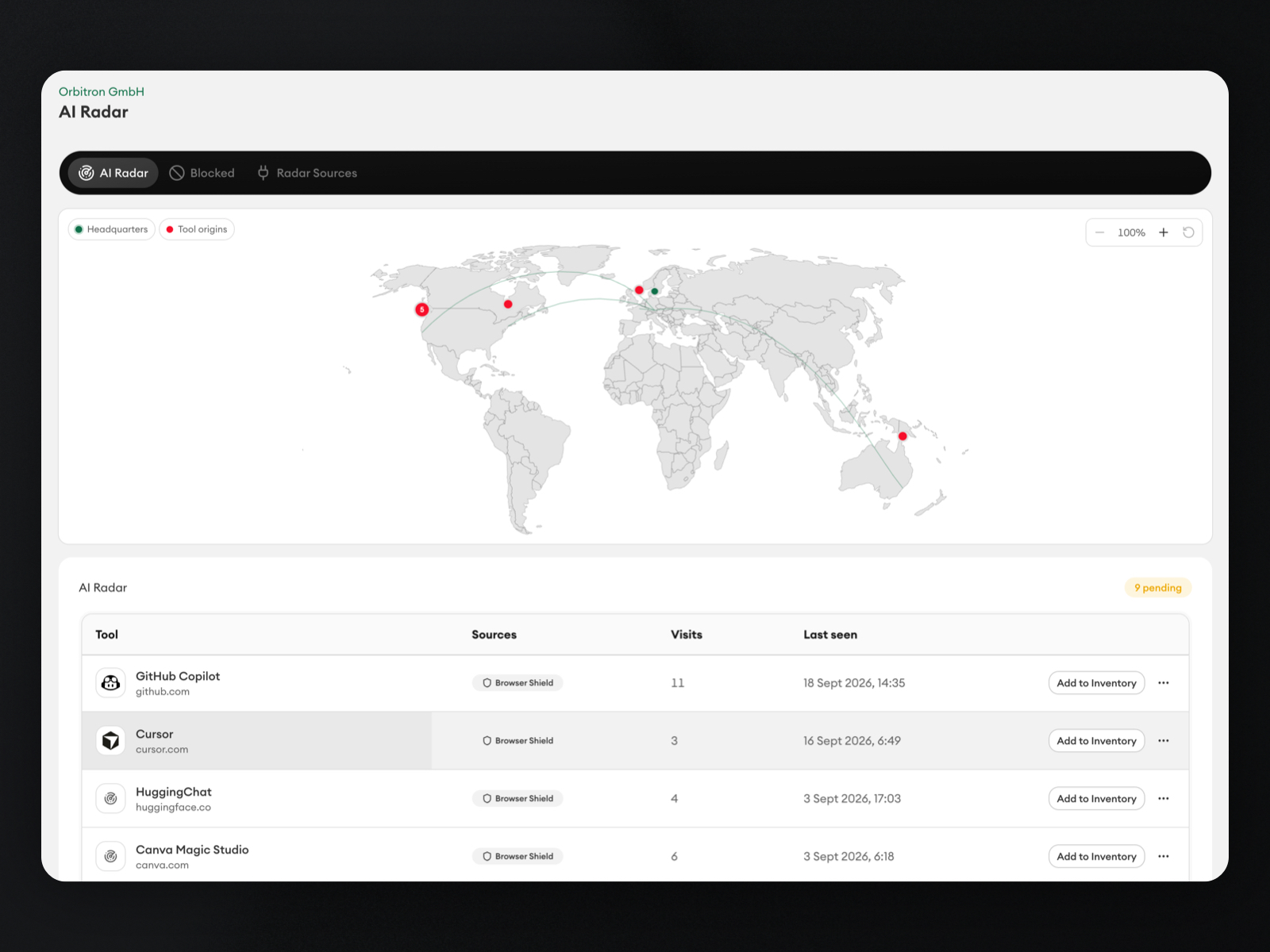
AI Radar
Browser Shield reports AI tools as employees open them. Triage each discovery: add it to Inventory, block it, or ignore it.
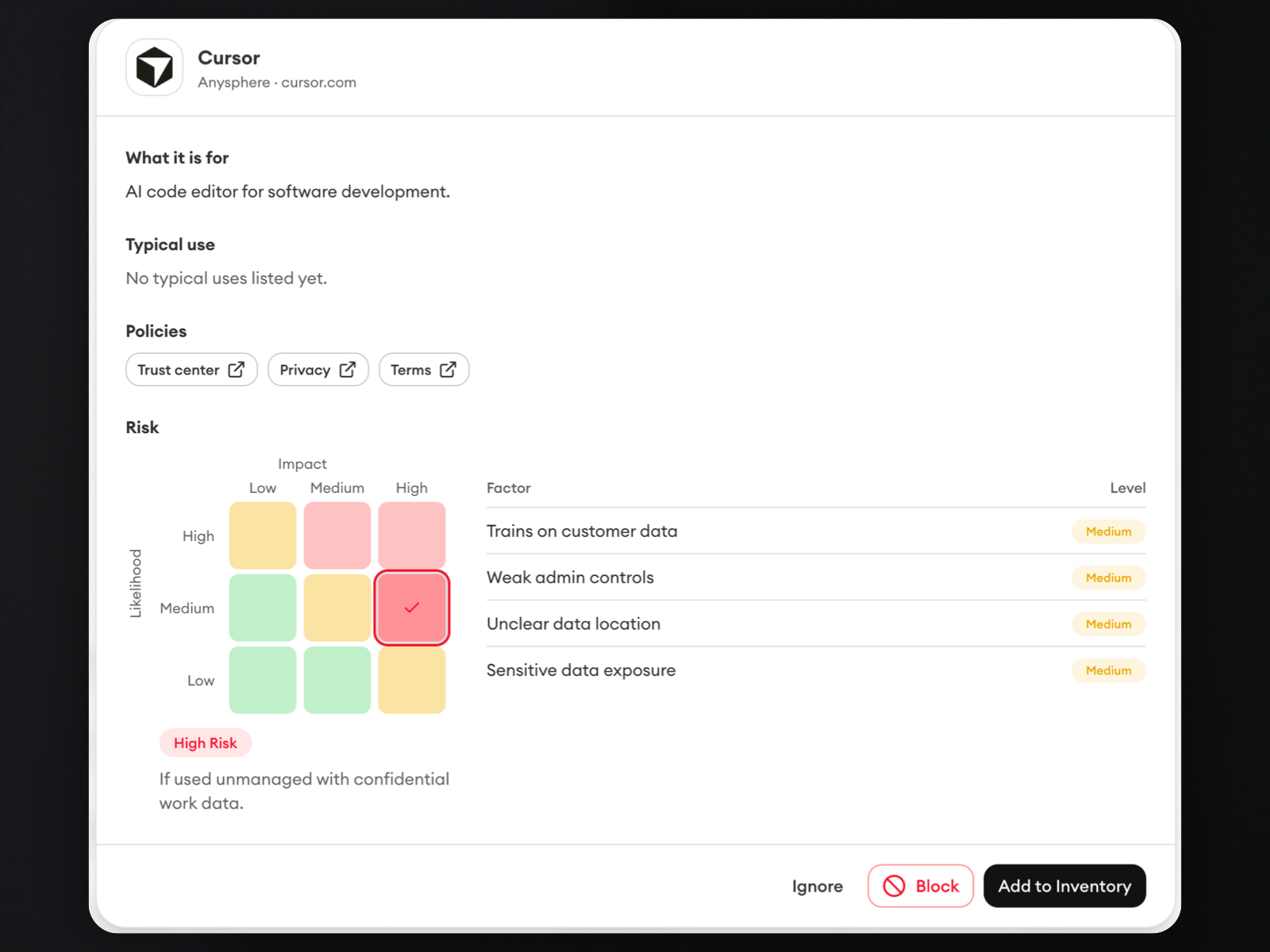
Use cases, risk, and RACI
Attach use cases to each tool, rate them low, medium, or high risk on a matrix, and assign who is responsible, accountable, consulted, and informed.
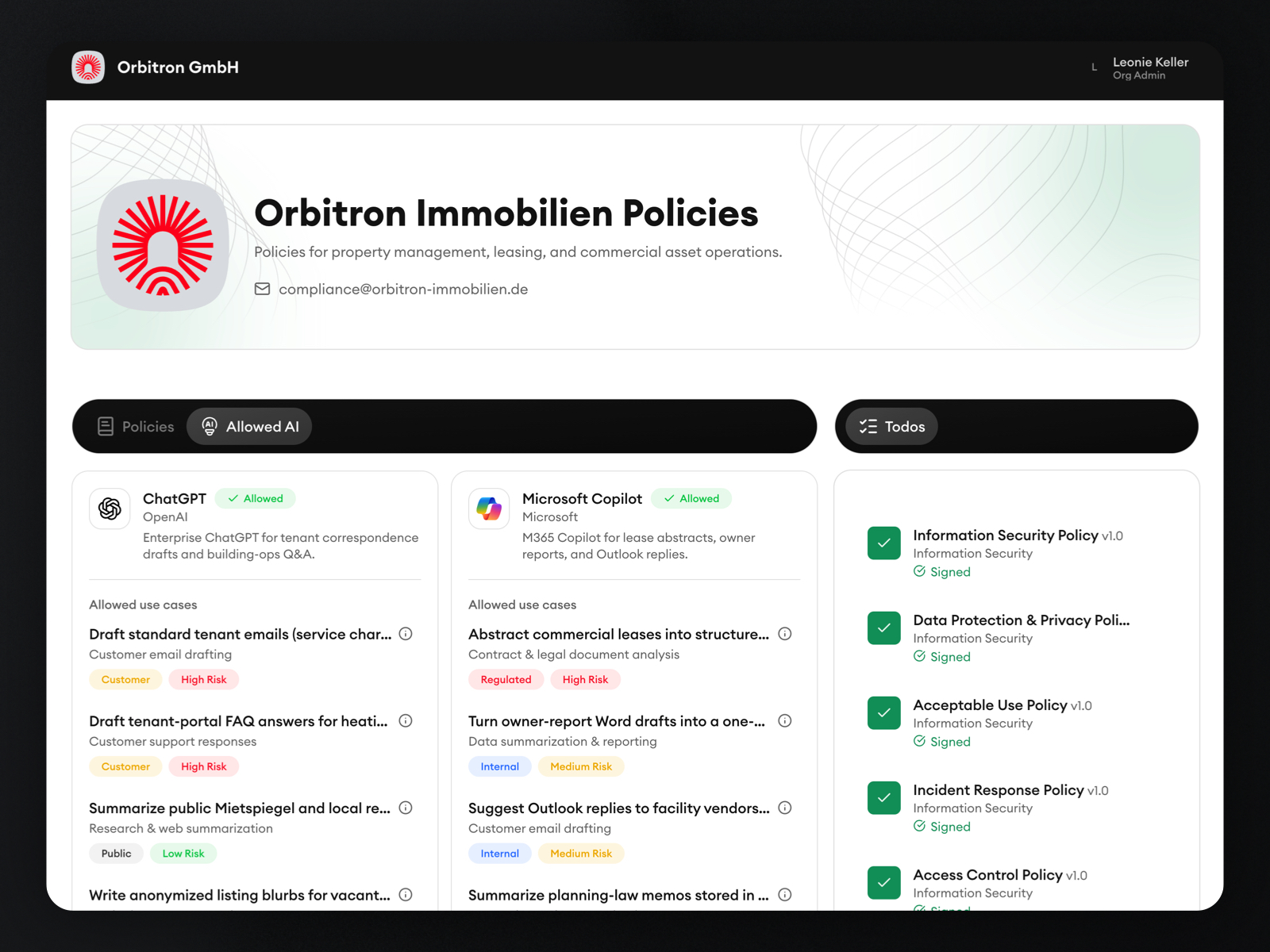
Allowed AI for employees
Approved tools and use cases appear in the employee portal, so people can check before they paste.
The first step for EU AI Act and ISO 42001 readiness.
Companies that suspect more AI use than they have approved
A practical use case where this workflow gives teams cleaner ownership and proof.
Teams preparing AI literacy and usage policies
A practical use case where this workflow gives teams cleaner ownership and proof.
Operators who need an exportable register of use cases
A practical use case where this workflow gives teams cleaner ownership and proof.
Get started in three practical steps.
01
Bring the workflow in
Start with your current policies, templates, owners, or approval process.
02
Configure the rollout
Define who needs to review, learn, acknowledge, or act on each update.
03
Track proof over time
Keep versions, training, acknowledgments, and evidence connected in one place.
EU Data Sovereignty, built in.
EU-hosting
All databases and servers stay in Germany only. AI processing uses an EU-frontier LLM.
GDPR compliant
Support clear records for policies, training, and acknowledgments.
Made in Germany
Built in Europe for teams that care about control and trust.
FAQs
Common questions about this workflow.
Can DocsOrb work with our existing policies?
Yes. DocsOrb is designed to help teams organize existing documents, improve ownership, and connect rollout activity around them.
Do we need a compliance team to use it?
No. It is useful for founders, HR, legal, operations, and security teams that need structured policy workflows without heavyweight tooling.
How does this connect to training and acknowledgments?
Policy content can feed into employee learning, comprehension checks, acknowledgment tracking, and evidence records.
Other features in DocsOrb
Policy Management
Boards, versions, and publish.
Employee Portal
Assigned boards and Allowed AI.
Training
Flashcards, quizzes, certificates.
Acknowledgments
Version-locked campaign sign-off.
AI Guardrails
Browser, MCP, SDK, and API.
Developers
SDK, REST API, and MCP server.
Regulations
EU AI Act and ISO 42001 controls.
Ihre Privatsphäre ist uns wichtig
Wir verwenden Cookies, um DocsOrb sicher zu halten, die Nutzung der Website zu verstehen und Ihr Erlebnis zu verbessern. Sie können alle akzeptieren, optionale Cookies ablehnen oder Ihre Einstellungen verwalten. Datenschutzerklärung lesen